Automating Fiscal Substitution Variables in Oracle EPM: A Groovy Business Rule Deep Dive

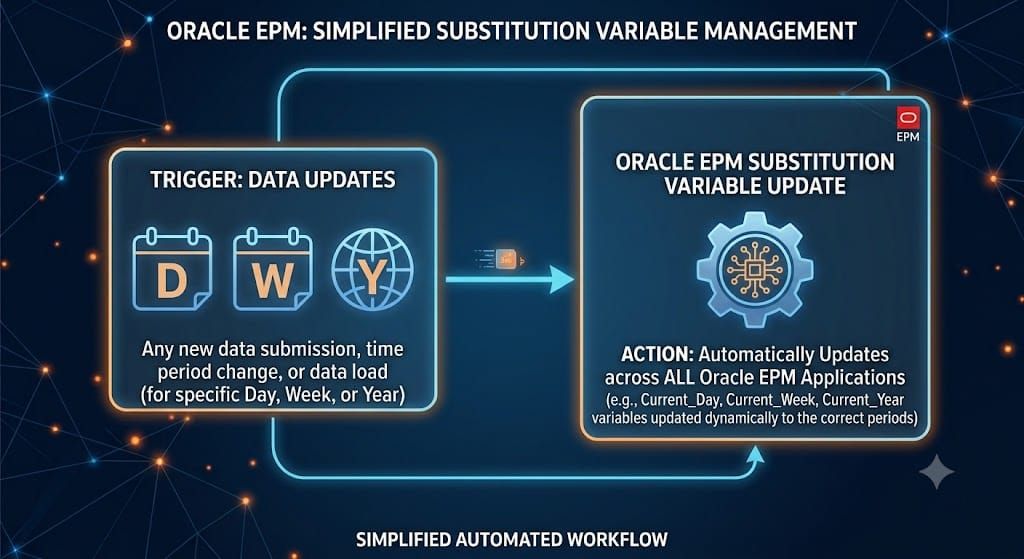
Manually updating substitution variables every week doesn't scale — especially when you're maintaining a rolling window tied to a 5-4-4 fiscal calendar. Here's how I automated it with a Groovy business rule in Oracle EPM Cloud, and the gotchas I hit along the way working within Oracle's constrained Groovy environment.
The Problem
Many retail and CPG organizations run on a 5-4-4 fiscal calendar — each quarter split into two 4-week periods and one 5-week period, with an occasional 53rd week added at year-end to stay aligned with the calendar. Reporting and analysis in EPM often needs a rolling window of the most recent weeks (in this case, 14 weeks, roughly one fiscal quarter) available as substitution variables, so forms, reports, and rules can always reference "the last 14 weeks" without anyone manually updating dates.
Doing this by hand every week is tedious and error-prone, especially across fiscal year-end transitions when the calendar pattern resets. This called for something scheduled and automatic.
The Approach
I built a Groovy business rule, deployed in Calculation Manager and scheduled to run every Sunday. Each run:
- Calculates the fiscal period and week for the last 14 completed weeks
- Updates substitution variables WK1 through WK14 with year-suffixed values (e.g. P02_WK1-2026)
- Maintains a parallel "clean" set, WK1_R through WK14_R, without the year suffix (e.g. P02_WK1) — useful for reports/rules that shouldn't break at year-end
- Logs a before/after table of every variable so changes are auditable
- Sends a confirmation email via EPM Automate once complete, and only touches variables that actually changed
The naming convention generalizes beyond weekly tracking too:
| Type | Full (year-suffixed) | Clean (no year) | Typical use case |
|---|---|---|---|
| Daily | D1–D30 | D1_R–D30_R | 30-day window |
| Weekly | WK1–WK14 | WK1_R–WK14_R | ~1 quarter (this post) |
| Monthly | M1–M13 | M1_R–M13_R | Trailing 12mo + buffer |
What Are Substitution Variables?
If you're newer to Oracle EPM Cloud: substitution variables are named placeholders (e.g. WK1) that stand in for a specific member or value across forms, reports, and rules. Instead of hardcoding P02_WK1-2026 into every report, you reference the variable — updating its value once instantly updates everywhere it's referenced.
To view or create them yourself:
- Log into your EPM Cloud environment
- Go to Application → Overview
- Click the Settings gear icon → Substitution Variables
- Here you'll see existing variables, their scope (a specific cube vs. All Cubes), and current values
- To create one manually: click + Add, name it, set scope, set an initial value
Variables scoped to All Cubes are accessible application-wide — this is the scope this automation targets via app.setSubstitutionVariableValue().
Gotcha #1 — Oracle's Groovy Is a Constrained Subset
If you're coming from standard Java or full Groovy, don't assume every familiar library method works the same way in Oracle's Groovy runtime. A good example: I couldn't reliably use .getTime() on Calendar objects to calculate days between two dates. Instead, I wrote a manual day-counting loop:
def getDaysBetween = { Calendar start, Calendar end ->
  def temp = (Calendar) start.clone()
  int days = 0
  while (temp.before(end)) {
    temp.add(Calendar.DATE, 1)
    days++
  }
  return days
}
Not elegant, but it's Oracle SDK-compatible and avoids the silent failures that come from assuming full Java library support inside Calculation Manager's Groovy engine.
Gotcha #2 — Single Quotes vs. Double Quotes (GString)
Groovy treats single-quoted and double-quoted strings differently — double quotes support string interpolation (GString), single quotes don't. This mattered directly in my email password handling:
def EMAIL_PASSWORD = '<Password>' // single quotes — plain string, no interpolation
If you accidentally use double quotes here and the password contains characters that look like interpolation syntax, or if you need this value treated as a literal string rather than evaluated, you'll get unexpected behavior. Small detail, easy to lose an hour to if you're not watching for it.
Design Choice — Building Both Variable Sets in One Loop
Rather than looping through the 14-week window twice (once for the year-suffixed values, once for the clean values), I calculate both in the same pass:
def newValues  = [:]
def cleanValues = [:]

for (int i = 14; i >= 1; i--) {
  def calcDate = (Calendar) baseDate.clone()
  calcDate.add(Calendar.DATE, -7 * (14 - i))
  def res = getFiscal(calcDate)

  String fullValue = "${res[0]}_WK${res[1]}-${res[2]}"
  String cleanValue = "${res[0]}_WK${res[1]}"

  newValues["WK${i}"]    = fullValue
  cleanValues["WK${i}_R"] = cleanValue
}
Both maps are built from the same getFiscal() result at the same point in the loop. This avoids any risk of the two sets drifting out of sync or hitting null references from a second, separate calculation pass.
Bonus — Sending Email via EPM Automate from Inside Groovy
Something not well documented: you can trigger EPM Automate commands, including sending email, directly from inside a Groovy business rule. My script encrypts a password, logs in, sends a confirmation email, and logs out, all as part of the same automated run — so I get a notification the moment the weekly update completes, without checking the job console manually.
Full Script
The complete script (all 300+ lines, including the full logging and email-handling logic) is available on GitHub, along with setup instructions:
https://github.com/VIKRAM-EPM/vikepmlab/tree/main/substitution-variable-automation
Takeaway
This automation replaced a manual, error-prone weekly process with a scheduled rule that updates 28 substitution variables in seconds, and only touches the ones that actually changed. If you're maintaining rolling substitution variables in Oracle EPM Cloud — whether daily, weekly, or monthly — the same core pattern applies.
If you're working through something similar or hit a different Groovy gotcha in Oracle's environment, I'd like to hear about it — subscribe below or reach out.