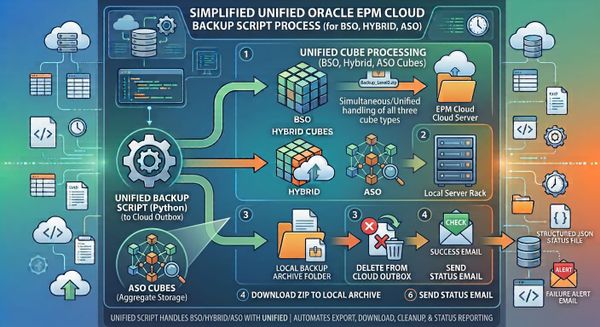
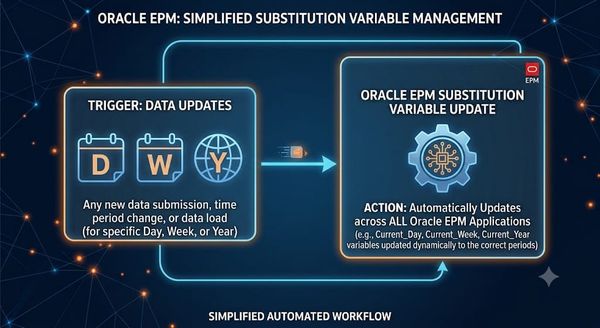
Automating Oracle EPM Data Reconciliation: A Free, Source-Agnostic Pipeline (BigQuery, Snowflake, SAP HANA, Oracle ERP, JDE & More)

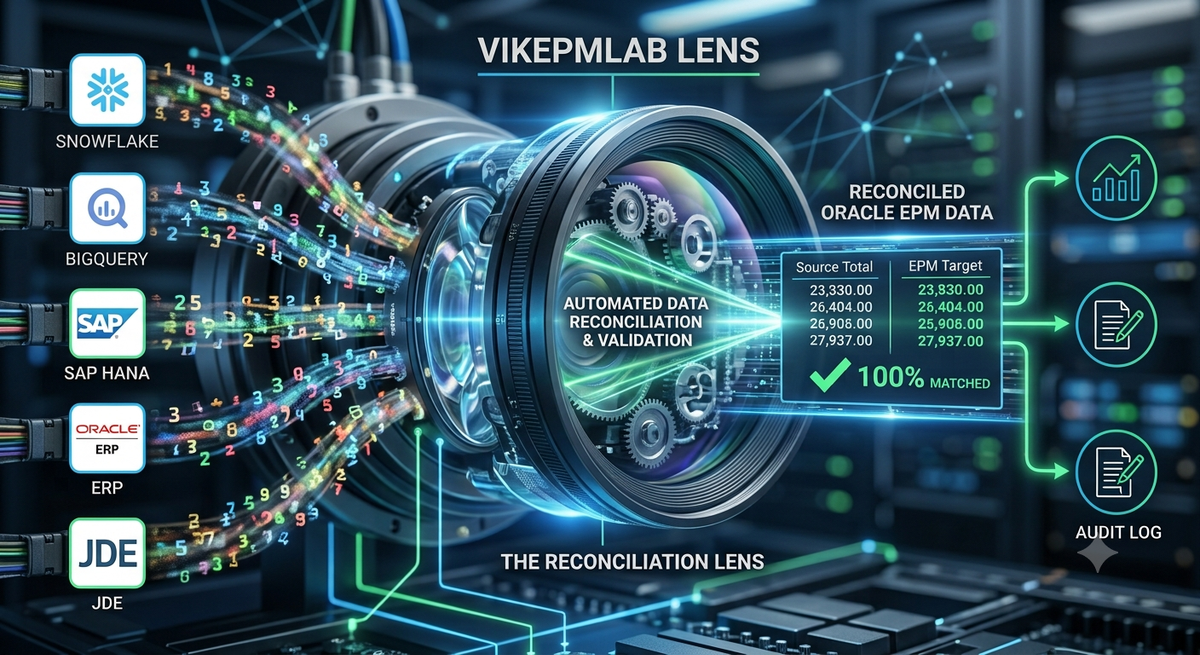
If you push data into Oracle EPM Cloud (EPBCS / FCCS / FreeForm) from an upstream system, you've probably asked the same question at some point during month-end close: does what landed in EPM actually match what the source system says it should be?
This post walks through a free, three-script Python pipeline that answers that question automatically — pulling data from EPM, pulling comparison data from whatever your source of truth happens to be (a flat file, Snowflake, BigQuery, SAP HANA, an Oracle ERP system, JD Edwards (JDE), SQL Server, Postgres, or Oracle FCCS), reconciling the two, and emailing an HTML report — with zero paid dependencies anywhere in the chain.
There's also a live, in-browser demo further down this page where you can type in numbers yourself and watch the reconciliation run in real time — no install required. More on exactly how that sandbox relates to the real backend scripts in the section below.
Why this exists
Most EPM shops eventually build some version of this. The pattern is always the same:
- Data lands in EPM Planning/FCCS/FreeForm from an ETL job
- Somewhere else — a data warehouse, an ERP, a flat file — the "true" numbers live
- Nobody notices when the two drift apart until finance does
During month-end close, this gets worse: many organizations close over several days — commonly called business day 1 through 5 (BD1–BD5) or calendar day 1 through 10 — with data reloading daily as adjustments land. Running reconciliation once a week isn't enough; you want it running every day data loads during close, catching discrepancies while there's still time to fix them.
Architecture
EPMDataExtract.py          SourceOfTruthExtract.py
        │                            │
        ▼                            ▼
exportdaily_normalized.json   sot_output.json
        │                            │
        └──────────────┬─────────────┘
                        ▼
                  reconcile.py
                        │
                        ▼
        reconciliation_report.html + email
Three scripts, each with a single job:
| Script | Job |
|---|---|
EPMDataExtract.py |
Pulls data from Oracle EPM Cloud via the exportdataslice REST API |
SourceOfTruthExtract.py |
Pulls comparison data from your source system, whatever it is |
reconcile.py |
Compares both, classifies each row MATCH / VARIANCE / MISSING, emails an HTML report |
Full source is on https://github.com/VIKRAM-EPM/vikepmlab/tree/047e1d4cdb3dc225ce757312818cfd4f4e5f2e01/epm-reconciliation
The important lines — what you actually need to change
Every script has clearly marked config blocks — search for >>> UPDATE THIS <<< in the code and you'll find every value specific to your environment. Nothing else needs to change. Here's what those blocks look like and what each line controls.
EPMDataExtract.py
SERVER_URL  = os.environ.get("EPM_SERVER_URL",  "https://<your-pod>.epm.<region>.ocs.oraclecloud.com")
USERNAME    = os.environ.get("EPM_USERNAME",    "<service-account-username>")
PASSWORD    = os.environ.get("EPM_PASSWORD",    "")
APPLICATION = os.environ.get("EPM_APPLICATION", "<your-application-name>")
PLAN_TYPE   = os.environ.get("EPM_PLAN_TYPE",   "<your-plan-type>")
Set these five as environment variables — never hardcode credentials in the script itself.
POV_DIMENSIONS = ["Year", "Currency", "Version", "Scenario"]
ROW_ENTITY_MEMBERS  = ["Entity A", "Entity B", "Entity C"]
ROW_MEASURE_MEMBERS = ["Measure Name"]
ENTITY_MAP = { "Entity A": "entity_a", ... }
This is the one section that can't come from an env var — it has to match your own application outline: your dimension names, your entities, your measure. Update this block to reflect your outline design.
FISCAL_YEAR_START = date(2025, 12, 29)
PERIOD_WEEK_PATTERN = [5, 4, 4]
Hardcoded here for simplicity, but ideally these should mirror your EPM application's own Substitution Variables so the calendar doesn't drift out of sync year over year.
SourceOfTruthExtract.py
The whole point of this script is that it doesn't care what your source system is:
SOURCE_TYPE = os.environ.get("SOT_SOURCE_TYPE", "flatfile")
Set SOT_SOURCE_TYPE to one of:
flatfile— a CSV export from literally anything (Oracle FCCS, SAP, JDE, a manual pull). No dependencies beyond the Python standard library.sql— a generic SQLAlchemy connection string that covers Oracle ERP, JD Edwards (JDE), SAP HANA, SQL Server, Postgres, and even Snowflake (via its SQLAlchemy dialect) — one connection string, one query, no separate adapter needed per system.bigquery— Google BigQuery, via its native client library.snowflake— Snowflake, via its native connector.
SQL_CONNECTION_STRING = os.environ.get("SOT_SQL_CONN_STRING", "")
SQL_QUERY = os.environ.get("SOT_SQL_QUERY", "SELECT region, period, net_sales FROM your_source_table ...")
This is the block to fill in if you're pulling from Oracle ERP, SAP HANA, or JDE — the connection string format depends on which SQL driver you're using (cx_Oracle for Oracle, pyodbc for SQL Server, hdbcli/SQLAlchemy dialect for SAP HANA, etc.).
reconcile.py
SMTP_SERVER   = os.environ.get("SMTP_SERVER", "smtp.gmail.com")
SMTP_USERNAME = os.environ.get("SMTP_USERNAME", "")
SMTP_PASSWORD = os.environ.get("SMTP_PASSWORD", "")
RECON_TO_EMAIL = os.environ.get("RECON_TO_EMAIL", "")
Email sends via Python's built-in smtplib — completely free, no SendGrid subscription, no API key. Works with Gmail (with an App Password), Office365, or any SMTP server.
CLOSE_DAY_LABEL = os.environ.get("RECON_CLOSE_DAY", "")
Set this to "BD3", "Day 5", whatever your org calls it, during a close window — it stamps the label onto the email subject and report title so five consecutive days of emails don't all look identical in your inbox.
run_daily_recon.ps1 — the scheduling wrapper
This is the file you actually put in Windows Task Scheduler, not the three Python scripts individually:
$CloseStartDate = Get-Date "2026-08-03"   # BD1 for this close cycle
$MaxBusinessDay = 8                        # BD1 through BD8
Only these two values change per close cycle. The script auto-calculates which business day it is, sets RECON_CLOSE_DAY, and runs the full pipeline — outside the configured window it exits harmlessly, so it's safe to schedule every weekday indefinitely.
Try it yourself: the live sandbox below
Try the full pipeline yourself: enter a value on each side, then click Reconcile.
Enter the same number on both sides to see a MATCH, or different numbers to see a VARIANCE.
You can enter several comma-separated values to simulate multiple weeks at once (e.g. 150000, 148500, 152000).
Simulates SourceOfTruthExtract.py — enter one or more comparison values.
Simulates EPMDataExtract.py — enter one or more weekly net sales values.
Reconciliation report:
The interactive widget on this page is real Python, running entirely in your browser via Pyodide (Python compiled to WebAssembly) — not a video, not a canned animation. When you type a number and click Run, actual Python code executes on your machine and returns a real result.
But it is not the same code as the backend scripts, and it's worth being upfront about exactly how they differ:
| Sandbox (this page) | Backend (EPMDataExtract.py, SourceOfTruthExtract.py, reconcile.py) |
|
|---|---|---|
| Runs where | Your browser, client-side | A server, scheduled task, or your local machine |
| Data source | Simulated — whatever number you type in | A real EPM Cloud REST API call / real database query |
| Dependencies | None — pure Python standard library only | requests, pandas, SQLAlchemy or cloud SDKs depending on source |
| Networking | None at all — the "extract" is just formatting the number you typed | Real HTTPS calls to EPM, your warehouse, or your ERP |
| Not sent — the report renders inline on the page | Sent via SMTP to a real recipient list | |
| Fiscal calendar | Simplified WK1, WK2 labels |
Full 5-4-4 fiscal period logic matching your actual EPM calendar |
Why the difference exists: a browser fundamentally cannot open a raw database connection, authenticate against an internal ERP system, or send SMTP email on your behalf — none of that is something client-side JavaScript/WASM is allowed to do, for good security reasons. So the sandbox demonstrates the reconciliation logic — the matching, the variance math, the report generation — using data you supply by hand, while the real scripts do the identical logic against real systems.
If you deploy the real scripts correctly, here's what actually happens instead of you typing a number:
EPMDataExtract.pyauthenticates to your EPM Cloud pod and pulls real weekly net sales (or whatever measure you configure) via theexportdatasliceREST APISourceOfTruthExtract.pyconnects to your actual Snowflake warehouse, BigQuery project, SAP HANA instance, Oracle ERP database, or JDE system and pulls the comparison numbersreconcile.pycompares the two real datasets and — critically — actually emails the report to your team via SMTP, with the HTML report you saw in the sandbox attached- If scheduled via
run_daily_recon.ps1and Windows Task Scheduler, this whole thing runs unattended, once per business day, throughout your close window
The sandbox is a teaching tool for the shape of the output. The backend scripts are the thing that actually protects your close process.
A few things worth knowing before you deploy this for real
- Test with
--dry-runfirst. Every extract script has a--dry-runflag that generates realistic mock data instead of hitting a real system — use it to confirm the whole pipeline wires together correctly before pointing it at production credentials. - Never commit credentials. Every config value in these scripts reads from an environment variable with a placeholder default — keep it that way. If you're using this in CI/CD or a scheduled task, use your platform's secrets manager (Windows Credential Manager, a
.envfile excluded from git, GitHub Actions secrets, etc.) rather than hardcoding anything. - Fiscal calendars drift. If you hardcode
FISCAL_YEAR_STARTand don't update it next year, your period labels will silently be wrong. Where possible, pull this from your EPM application's own Substitution Variables instead. - Watch for SQL alias/typo bugs. A single missing space in a
SELECT ... AS column_nameclause can silently break column naming in some SQL dialects — worth a dry run of any custom query against Snowflake, SAP HANA, or Oracle ERP before trusting it in production. - Month-end close needs a label, not just a schedule. If you're running this daily during a close window, set
RECON_CLOSE_DAY(or equivalent) so your team can tell BD2's email apart from BD6's at a glance — five identical-looking subject lines in one week is its own kind of noise.
Get the code
Full source for all four files — EPMDataExtract.py, SourceOfTruthExtract.py, reconcile.py, and run_daily_recon.ps1 — plus the README covering every environment variable, is available on GitHub: https://github.com/VIKRAM-EPM/vikepmlab/tree/047e1d4cdb3dc225ce757312818cfd4f4e5f2e01/epm-reconciliation
Written and tested by Vikram Kumar, Oracle EPM Architect. These scripts are shared for educational purposes as working examples of an EPM data-extraction and reconciliation pattern. They are provided "as is," without warranty of any kind. Test thoroughly in a non-production environment before pointing them at any live system.